Getting started with Forbury
CRE professionals and investors choose Forbury to make faster, data-driven property appraisals and investment decisions.
Welcome to Forbury
Forbury offers comprehensive modelling capabilities for property professionals involved in the lifecycle of a commercial real estate asset. Built specifically for office, industrial, retail and multifamily assets, Forbury is suitable for any scale of investment and able to produce sophisticated asset and levered cashflows, and comprehensive reporting and metrics for analysis.
Creating your account
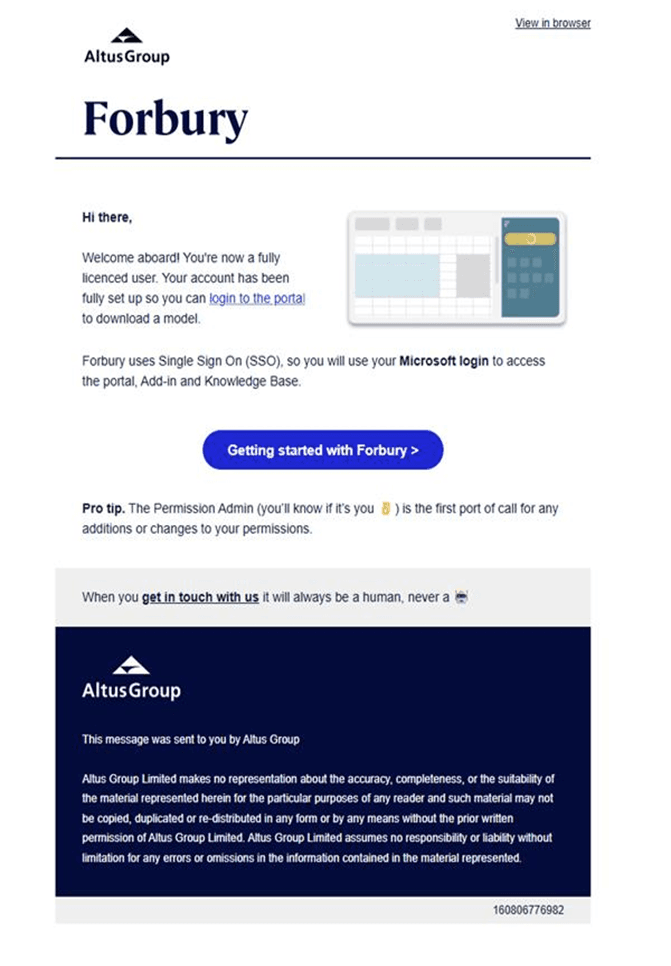
To get started, you’ll receive an email invitation with a link to set up your Forbury account (as shown in the example below).
If helpful, here’s the quick step-by-step workflow:
Check your inbox for the Forbury invitation email
Click the link provided in the email
Log in at portal.forburyproperty.com
Select “Continue with Microsoft”
Confirm your details - and you’re ready to go!
Getting support
Access our local support teams and financial modelling experts, who can assist you with everything from straightforward support requests to complex modelling enquiries.
When you raise a support ticket, one of the team will promptly respond to your support request. We want to empower you with all the resources you need for efficient and accurate modelling.
Key features
Scenarios
Create as many scenarios as you like within the same model and easily toggle between them. Compare the variances in key property metrics of the scenarios side-by-side in one sheet.
Import
Save yourself the time, hassle, and risk of manual data entry. Instantly populate your model with tenancy information by importing from PDF, Excel, or ARGUS Enterprise file formats.
Reporting
Build your own bespoke in-house sheets that can adapt to your unique business needs. Perform side calculations, additional data analysis, and augment reporting to match your brand and technical requirements. Your custom sheets are included in all future models, for effortless use across your organisation. Alternatively, use pre-prepared reports - from transaction summaries to one-page returns reports that can be fully branded with your logos, colours, and commentary.
Error checking
Advanced error alerts warn you of input errors and guide you on what needs to be fixed. With a single click, you will be taken directly to the cell with the error. Locked calculation and output cells mean you can’t accidentally delete, or mess with data, safeguarding the integrity of the model.
FAQ
Get answers to commonly asked questions about Forbury
How does the Add-in work?
What SSO options do you provide?
What are the system and workstation requirements of the Forbury platform?
Can we use a Mac to run Forbury?
Can Forbury be used over One Drive, Sharepoint, Microsoft Teams or Excel online?